


HAIR U: AI Haircut Scanner
4.36.00 Reviews
App Specs
- Version
- 1.0.2
- Updated On
- License
- Free
- Downloads
- 100,000+
- Developer
- Mavtao
- Categories
- Beauty
- Platform
- Android
Screenshots
 Analysis by AppCompare
When I’m considering a haircut, the hardest part is often explaining what I want before the first snip. HAIR U: AI Haircut Scanner is aimed at that moment: it gives me a way to explore possible looks on a photo before I decide what to ask a stylist for. I find that useful as a starting point, not as a promise that a preview will show exactly how a cut will look in real life.
A practical first pass before making a change
My most sensible routine with a haircut scanner is to begin with a clear, straightforward photo and a specific question. Am I curious about a shorter shape, a fringe, or more length around my face? Narrowing the choice first makes it easier to judge the results instead of swiping through looks without knowing what I’m comparing.
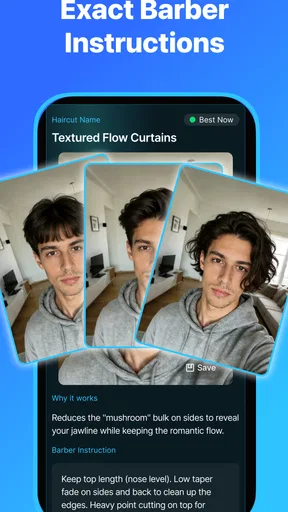
For HAIR U, I’d treat the photo as a reference image rather than a final verdict. A virtual style can help me notice whether I’m drawn to a softer outline or a sharper one, and that observation can be more useful than deciding that one simulated cut is definitely right. If I’m planning a major change, I’d save a couple of options and take them to a stylist, along with a description of what I like about each.
The app is a free beauty app from Mavtao, with in-app purchases listed from $0.99 to $99.99 per item. It has a 4.1 average from around 1.5 thousand ratings and over 10 thousand installs. It is rated for Everyone, and version 1.0.1 requires Android 8.0 or later. Those details make it easy to understand the basic commitment: I can try the app without an upfront purchase, but I’d check what an optional purchase covers before paying for anything.
How I’d get more useful comparisons
One subtle advantage of trying styles digitally is that it can expose what I actually mean by “a change.” Sometimes I think I want a dramatic chop, but what I’m really after is a cleaner shape or a different way to frame my face. Comparing a few clearly different options can help separate those goals. I’d avoid making a decision based on tiny variations in a preview; the broad outline is the part that can guide a real conversation.
A repeatable habit helps, too. I’d use a similar photo setup each time I compare looks, rather than changing the angle and lighting between every try. That gives me a fairer visual comparison and makes it less likely that a flattering selfie, rather than the hairstyle itself, drives my choice. If the result looks surprising, I’d retake the photo before ruling a style in or out.
There is also a useful way to bring the app into an ordinary appointment-planning routine. Before booking a cut, I can shortlist a few looks, then note the practical details I care about: how much length I want to keep, whether I’m willing to style it each morning, and how often I’m comfortable returning for maintenance. The image can start the conversation, but those preferences make the request clearer and more realistic.
Worth Reading Before You Choose

Baby Panda World Brings Quick Play to Modern Phones, but Its Game Library Feels Busy

ESPN’s Live Game View Makes Following Close Games Easier

QuizzLand Review: A Good Fit for Short Trivia Breaks, Not Every Player

Basketball Stars: Multiplayer Is Fast, but Can It Recover When Matches Go Wrong?

WEBTOON Turns Phone Updates Into a Better Reading Routine

Link to Windows Runs on Shared Habits, Not Social Feeds
What a preview can—and cannot—settle
Hair is not a flat accessory. Texture, density, growth patterns, and daily styling all affect the finished cut, and a photo-based preview cannot settle every one of those questions. I wouldn’t rely on a simulated result to predict how a fringe will sit after a wash or whether a short style will behave easily without effort. Those are better questions for a stylist who can assess my actual hair.
This is where a haircut scanner differs from the usual alternatives. Browsing salon photos gives me real examples, but the people in them have different faces, hair, and styling routines. A virtual try-on can make the idea feel more personal, while a stylist’s consultation is still better for judging feasibility and upkeep. I see the app as a bridge between inspiration and advice, not a replacement for either.
It may also be the wrong choice if I already know exactly what I want and mainly need technical guidance on how to achieve it. In that case, a direct conversation with a hairdresser is more useful than trying more previews. Likewise, if I’m expecting an exact color or texture match from a simulated image, I’d keep expectations modest and use the result only to communicate the general shape I have in mind.
Small decisions that make the process smoother
When I’m trying several possibilities, I’d compare one meaningful change at a time: for example, keeping the general length while testing a different outline, then considering a shorter option separately. That makes it easier to identify which part of a look appeals to me. Mixing several big changes in one imagined style can leave me unsure whether I like the length, the framing, or the overall effect.
A realistic everyday example is getting ready for a salon visit after work. I can use a quiet few minutes to explore a couple of directions, pick the one that feels closest, and save a note about what I want preserved. At the appointment, I can explain that I like the shape but want to keep enough length to tie my hair back. That is a more actionable request than simply showing a picture and hoping the stylist guesses what matters to me.
I’d also remember that free access and optional purchases are separate considerations. If a purchase prompt appears, I’d pause and decide whether the added option is genuinely useful for my decision rather than paying because I’m already invested in the experiment. For a one-time haircut question, a small shortlist may be all I need; someone who enjoys exploring looks more often may weigh the value differently.
Using the app with realistic expectations
The strongest result is not necessarily the most dramatic transformation. I’d pay attention to which preview makes me feel comfortable and curious about the actual maintenance involved. A style that looks exciting on screen but conflicts with my routine may be less suitable than a modest adjustment I can live with every day.
Getting Started with HAIR U
I was skeptical at first, but curiosity got the better of me and I downloaded the app on a whim. Setting up was a breeze; all you need is a good selfie and a pinch of patience. The app's interface is so intuitive that even your tech-challenged friends could navigate it without breaking a sweat.
Features That Stand Out
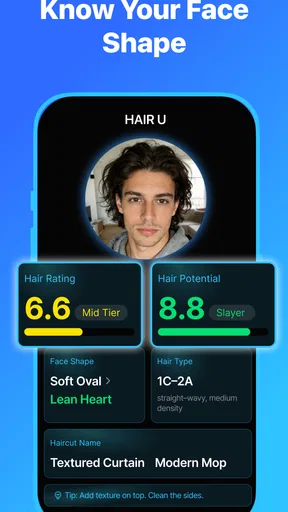
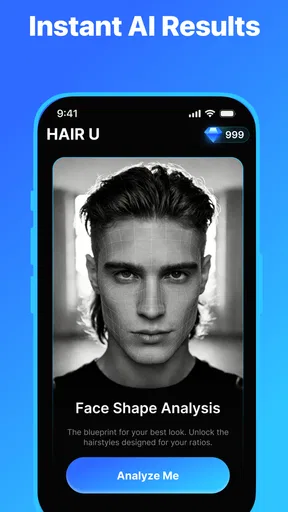
So, what's the deal with this app? The magic lies in its AI-powered technology, which can scan your face and suggest hairstyles that best suit your face shape. No more guessing games or regrettable haircuts!
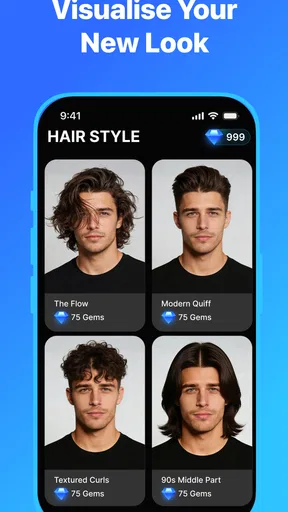
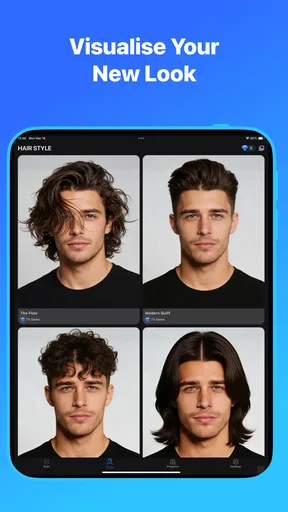
One feature I can't help but rave about is the virtual try-on. It's like Snapchat filters but specifically for hairstyles. Simply take or upload a photo, and voilà! You can see yourself with a bob, pixie, or long waves without committing to the scissors.
Another cool aspect is the hairstyle gallery. It's like Pinterest for hair, filled with an extensive range of styles from classic to trendy. Plus, it keeps updating with the latest hair trends, so you'll always be in the know.
Personal Experience
Okay, let's get personal. I decided to give the virtual try-on a whirl, and it was enlightening, to say the least. I discovered that the edgy pixie cut I always dreamed of is perhaps best left as a dream. But the wavy lob? Total game-changer! This feature alone saved me from a potential hair disaster.
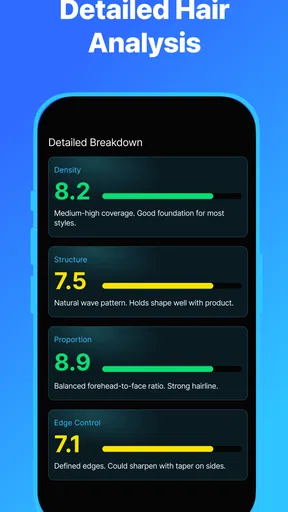
The app also gives personalized tips based on your hair type and texture. It’s like having a hair consultant who knows you well. I received recommendations for products and styling tips that finally made my unruly curls behave.
Engagement and Usability
The app keeps things engaging with its community feature. You can share your hair transformations and get feedback from other users. It’s a supportive space where everyone is on the same mission: finding the perfect hairstyle.
Usability-wise, the app is smooth. I didn’t encounter any lagging or crashes, which is a huge relief. It's compatible with both Android and iOS, so it's accessible to most smartphone users. Just make sure your device is relatively up-to-date to enjoy all the features without a hitch.
Final Thoughts
In a world where a bad haircut can break your spirit (and wallet), HAIR U: AI Haircut Scanner is a lifesaver. It's user-friendly, fun, and packed with features that genuinely help you make informed style choices. Whether you're considering a drastic change or just want to play around with different looks, this app is worth a try.
So, if you're ready to say goodbye to haircut hesitations and hello to fabulous hair days, give it a go. Who knows, you might just discover a new look that you'll love!
Pros
- Realistic AI haircut previews.
- Wide variety of hairstyles.
- Easy-to-use interface.
- Fast processing time.
- Personalized recommendations.
Cons
- Limited free features.
- In-app purchases can be costly.
- Requires internet connection.
- Occasional misalignment issues.
- Some ads in free version.
FAQs for HAIR U: AI Haircut Scanner
What is HAIR U: AI Haircut Scanner and how does it work?
HAIR U: AI Haircut Scanner is an innovative app designed to help users visualize different hairstyles using advanced AI technology. It works by scanning your face and applying various hairstyles digitally, allowing you to see how they would look before making any permanent changes. It's perfect for those who want to experiment with their look without commitment.
Is HAIR U: AI Haircut Scanner free to use?
The basic features of HAIR U: AI Haircut Scanner are free, allowing users to try out a limited selection of hairstyles. However, the app offers a premium subscription that unlocks additional features, such as an expanded hairstyle library, personalized recommendations, and ad-free experience. Pricing details can be found within the app store listings.
What devices are compatible with HAIR U: AI Haircut Scanner?
HAIR U: AI Haircut Scanner is available for both Android and iOS devices. It requires Android 8.0 or later and iOS 12.0 or later. For the best experience, it is recommended to use the app on devices with high-quality front-facing cameras, as this enhances the accuracy of the AI scanning process.
How accurate is the AI in HAIR U: AI Haircut Scanner?
The app uses cutting-edge AI technology to provide highly accurate hairstyle simulations. While no app can guarantee 100% accuracy, HAIR U offers impressive results that reflect realistic hairstyles considering your face shape and features. User feedback is consistently positive, highlighting the app's ability to provide useful and believable hairstyle previews.
Can HAIR U: AI Haircut Scanner save my hairstyle preferences?
Yes, HAIR U allows you to save your favorite hairstyles and create a personal lookbook. This feature is particularly useful if you want to compare different styles or share your favorites with a hairstylist. Saved preferences can be accessed easily within the app, making it convenient to revisit your selections.


